
Model review
Vidu Q4 Review: References, Native Audio and 4K Workflows
Vidu Q4 is worth considering when you have a visual starting point and a short scene to direct. This review looks at the controls that matter, what to inspect in a result and how to keep early experiments focused.
By Vidu Q4 editorial team Updated
Open Vidu Q4 Studio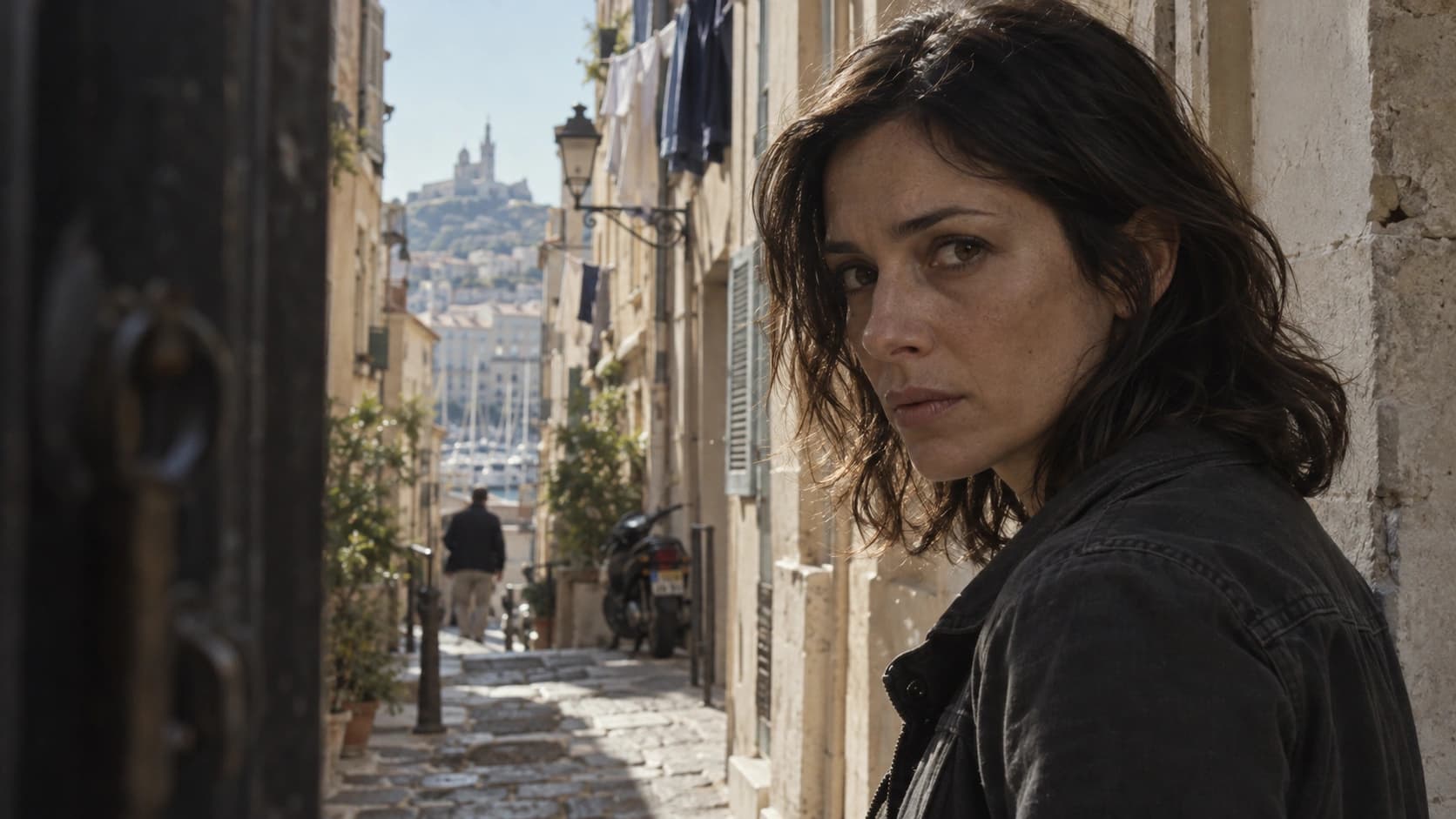
This review includes three original Q4 Preview image-to-video examples generated on October 10, 2026, with their AI-generated source images, exact prompts and recorded export properties. Each requested 6 seconds at 720p with native audio enabled and prompt enhancement off. No scored quality evaluation, measured generation speed or success-rate benchmark is claimed.
Quick verdict
Vidu Q4 Preview is a practical option to explore for short scenes built around supplied images: a product moving through a reveal, a character delivering a line or a visual beat for a larger sequence. Its appeal is the combination of reference inputs, sound and a choice of output resolutions.
The strongest reason to try it is a concrete brief that those controls help express. Start with a subject you can identify clearly, one main action and an ending you can review. A long list of unrelated actions makes it harder to tell what needs fixing.
Treat the result as a shot to assess before publishing. Maximum resolution does not establish identity consistency, accurate lettering, believable contact or correctly timed speech.
What Q4 Preview offers in this Studio
| Control | Available here | What it helps you decide |
|---|---|---|
| Image to Video | One PNG, JPG, JPEG or WebP image | Establish the opening appearance |
| Reference to Video | 1–12 images; up to 3 voice references | Supply visual and voice guidance |
| Duration | 3–16 seconds | Give one action enough room |
| Resolution | 540p through 4K | Match draft and delivery needs |
| Audio | Generate audio toggle | Choose sound or silent output |
| Framing | Source image ratio in image mode; five ratios in reference mode | Compose for the target screen |
| Advanced settings | Optional seed; prompt enhancement in image mode | Keep a record of settings between attempts |
The limits above describe this website. The Q4 Preview user guideline describes up to 15 image references; this Studio currently accepts 12. Use the limits displayed in the form when preparing an upload.
What the Q4 Preview guide describes—and what we tested
The Q4 Preview user guideline describes improvements in camera movement, instruction following, lighting, fast motion and expressive dialogue. It also lists 2K and 4K output and 10-bit color. These are documented model capabilities, not results established by our three examples.
Our recorded examples use single-image input at 720p. They let you inspect one dialogue scene, one product camera move and one object handoff. They do not test multi-image consistency, voice-reference matching, 4K delivery or 10-bit export. The guideline labels its release as Preview and closed beta; that wording alone does not establish current availability for every provider.
| Capability to evaluate | A useful test on your own scene |
|---|---|
| Camera control | Request one slow arc or tracking move; check direction and whether the subject remains framed |
| Lighting | Watch shadows and reflections through the whole movement, especially on glass and skin |
| Fast motion | Inspect limbs, contact points and object shapes during turns and partial occlusion |
| Dialogue and expression | Compare the exact spoken words, mouth timing and emotional delivery separately |
| Higher-resolution delivery | Inspect the downloaded file’s actual dimensions, codec and color properties before planning a finishing workflow |
For an advertisement, begin with the product detail that must remain recognizable. For a short drama, isolate one speaker and one story beat. For a social clip, establish the target framing before generation. For film coverage, plan how the opening and closing frames connect to neighboring shots. These are suggested production checks; we have not benchmarked those use cases. See the user guide for the controls and a reproducible first attempt.
Three original Q4 Preview examples to inspect
These three examples were created specifically for this Review and are separate from the Q3/Q4 comparison set. Each starts from its own AI-generated source image. Expand the prompt below each player to see the exact generation brief.
The settings were Image to Video, 6 seconds, 720p, native audio on and prompt enhancement off. The original exports measure 1278 × 720 and approximately 6.04 seconds, with an audio track in every file.
The dialogue scene asks for a short whispered warning in daylight. The product scene asks for a slow camera arc around an amber perfume bottle. The station scene asks two characters to hand over a briefcase while keeping the handle and hands visible.
Watch each complete clip and inspect the action against its prompt. These individual examples do not establish a repeatable success rate, a lip-sync accuracy score or a measured generation speed.
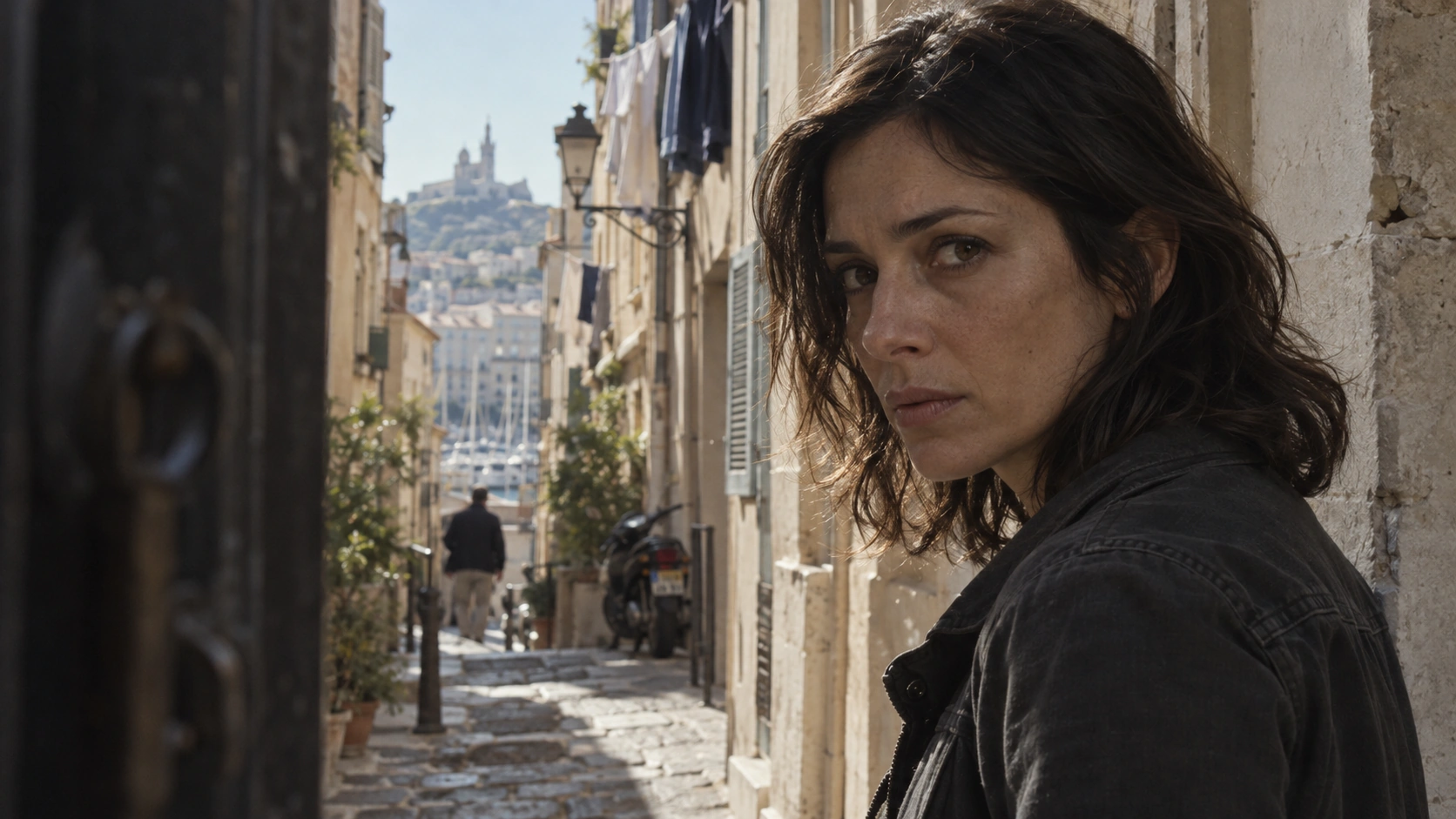
Daylight suspense dialogue
Listen for the exact spoken line and inspect mouth timing, expression and facial identity throughout the take.
Image to Video · 6 seconds requested · 720p · Native audio on
Original export · 1278 × 720 · 6.04 seconds · Audio track included
Read the exact generation prompt
Use the supplied image as the exact opening frame of a live-action suspense film. Preserve the woman's identity, clothing, doorway and daylight. In one continuous six-second shot, make a slow subtle camera push toward her face. She takes a quiet breath, notices someone just outside the frame, and says in a restrained urgent voice: "Don't turn around. They're already here." Accurate natural English lip sync, small believable eye movements, tension without theatrical acting. Keep natural skin texture and soft daylight; no beauty filter, no night conversion, no cuts, subtitles or added people. Quiet distant street ambience under the voice.
Q4 prompt enhancement was off. Source framing was preserved. No generation-speed or success-rate score is claimed.
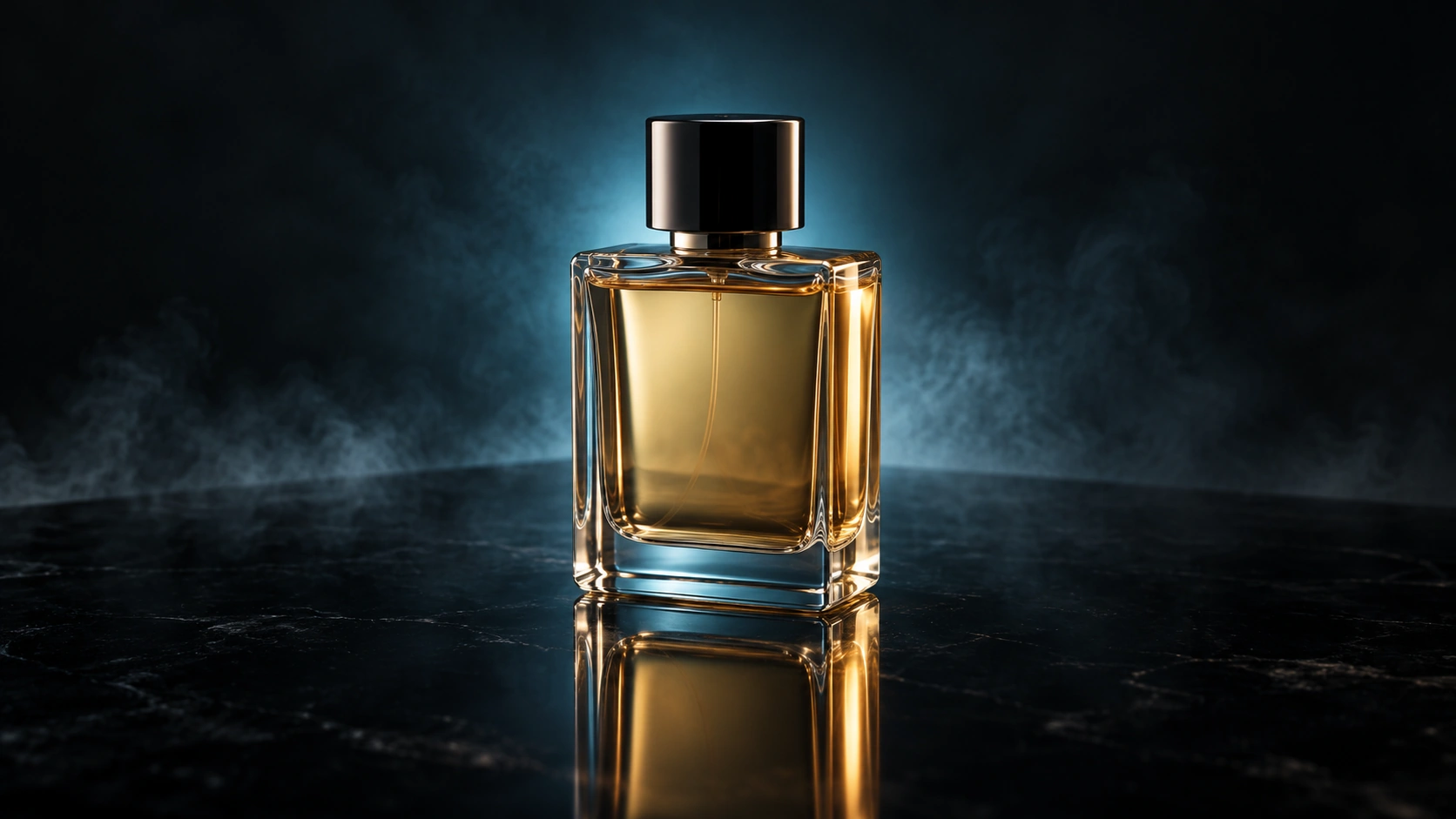
Glass perfume reveal
Follow the bottle silhouette, amber liquid and reflections through the slow camera arc.
Image to Video · 6 seconds requested · 720p · Native audio on
Original export · 1278 × 720 · 6.04 seconds · Audio track included
Read the exact generation prompt
Use the supplied image as the opening frame of a premium live-action perfume commercial. Preserve the exact bottle geometry, cap, amber liquid and tabletop. One continuous six-second shot: a slow controlled camera arc of roughly 15 degrees around the bottle while a narrow soft light sweeps across the glass, revealing thickness and realistic refraction. A faint ribbon of mist drifts behind it and the reflection changes consistently with camera movement. The bottle remains stationary, fully visible and sharply legible in shape. No labels, text, extra objects, morphing or cuts. Restrained studio lighting, subtle mechanical room tone, no dialogue.
Q4 prompt enhancement was off. Source framing was preserved. No generation-speed or success-rate score is claimed.
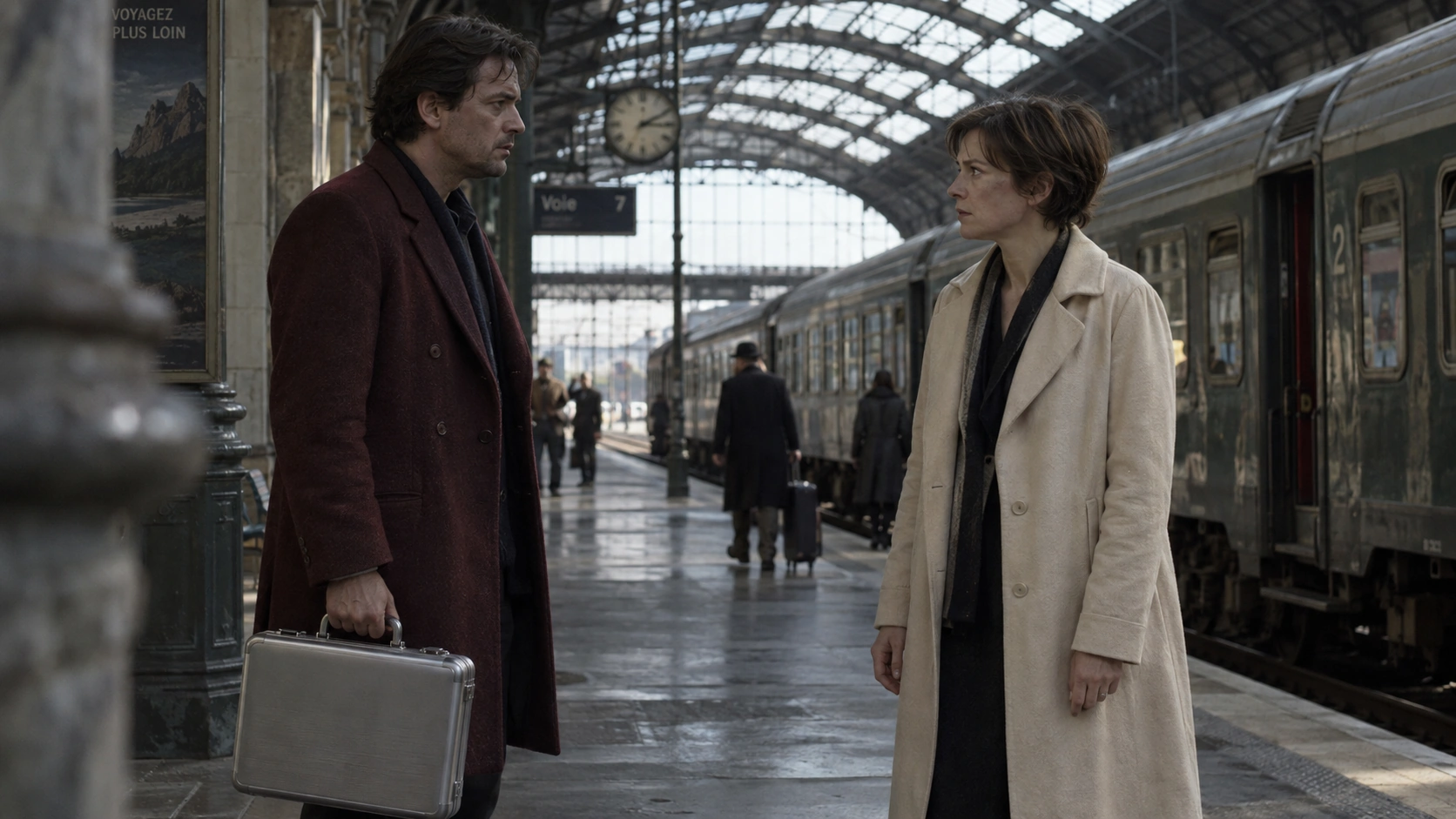
Railway station briefcase handoff
Inspect both hands, the handle and the moment the briefcase changes ownership.
Image to Video · 6 seconds requested · 720p · Native audio on
Original export · 1278 × 720 · 6.04 seconds · Audio track included
Read the exact generation prompt
Use the supplied image as the exact opening frame of a grounded espionage film in a railway station during daylight. Preserve both characters, their clothing, positions and the silver briefcase. One continuous six-second medium-wide shot with a nearly locked camera: the man on the left extends the briefcase handle toward the woman on the right; she reaches with one hand, closes her fingers around the handle, and takes its weight before he releases. Their free hands remain separate. After the handoff they exchange a brief wary look. Keep the complete briefcase and both participating hands visible throughout. Natural weight, correct fingers, subtle coat movement and restrained expressions. No cuts, new people, dialogue or dramatic lighting change. Soft station ambience and a small handle click.
Q4 prompt enhancement was off. Source framing was preserved. No generation-speed or success-rate score is claimed.
Reference inputs: give each asset a purpose
A reference set should resolve decisions about the shot. One image might establish identity; another might clarify clothing or the product’s side profile. Before uploading, write a short note explaining what each file contributes.
Start with a small, consistent set. Conflicting faces, lighting directions or product versions introduce ambiguity. Adding more files is useful only when those files explain something the existing references leave unclear.
For voice references, choose clean recordings and state who should speak. Avoid filling the allowance simply because more slots are available. Review the final voice as part of the scene, including its pace and relationship to the visible performance.
Prompting: direct a shot you can evaluate
An image already describes much of the subject’s appearance. Use the prompt to explain the change: what moves, how the camera behaves and what should be heard. Put the important action before decorative mood words.
Example brief: “The ceramic cup stays on the table. The camera moves slowly closer as steam rises. Soft daylight remains steady. Quiet room ambience; no speech.”
This is a suggested starting prompt, not the prompt behind a supplied example. It has a clear object, a limited camera move and a sound instruction. You can evaluate each part separately after generation.
If a take misses the mark, revise the smallest part of the brief that addresses the problem. Keep a copy of the previous version so that a useful result does not disappear into an unrecorded series of changes.
Dialogue scenes: evaluate a performance, not just a face
A dialogue shot has several separate jobs. The character needs to remain recognizable, the words need to be understandable, and the timing needs to feel appropriate for the scene. Review those requirements separately before deciding whether the whole take works.
Start with one speaker and a short line. Write the exact words in the prompt, then specify the intended delivery: a quiet response, a surprised interruption or a matter-of-fact explanation. A description such as “emotional speech” leaves more decisions unresolved than a specific instruction about pace and emphasis.
Suggested test prompt: “The character pauses, looks toward the doorway and quietly says, ‘You came back.’ Keep a steady medium close-up. A brief silence follows the line. Low room ambience.”
Listen once without judging the image. Then watch the face and replay the opening and closing sounds of the line. Check whether gestures support the delivery or distract from it. If the line runs past the available time, shorten the sentence before adding more actions. This is a review method, not a claim that the supplied dialogue example passed these checks.
Product and fashion shots: preserve what the audience must recognize
For commercial concepts, define which details make the subject identifiable. A bottle might depend on its cap, silhouette and label placement. An outfit might depend on a seam, sleeve length or fabric pattern. Write those requirements down before judging the overall polish of a take.
A first draft can isolate one movement: a small camera arc around a stationary product, or a model turning enough to show the garment’s side. Save a more complicated combination of movement, lighting changes and scene transitions for a later attempt.
Suggested test prompt: “The handbag stays upright on the pedestal. The camera moves slowly from the front to a slight side angle. Keep the handle shape and clasp position consistent. Soft, steady studio light; no speech.”
Inspect the details when they move toward the edge of the frame or become partly hidden. Those moments can matter more than the opening pose. If exact text or a logo is essential, reserve space for a controlled overlay in your editor and check the final composition at the size where it will be published.
Narrative shots: plan the ending as carefully as the opening
A useful story beat has a visible change. A character notices something, reaches a decision or moves from one position to another. Describe that change before adding camera language. If the ending is unclear in the brief, it is difficult to judge whether a visually attractive clip actually advances the scene.
For an early attempt, keep the geography simple. Establish where the character begins, what they interact with and where they should finish. A slow approach to a doorway can be easier to evaluate than several actions distributed across different rooms.
Suggested test prompt: “The character stands beside the window, notices a light outside and turns toward it. End with the character looking through the glass. A restrained camera move, steady dusk lighting and quiet wind.”
When assembling several clips, compare the closing frame of one with the opening of the next. Check costume, screen direction and lighting. The current Studio has no timeline for joining shots; plan that step in your editor. The goal of a draft is a usable piece of coverage, not necessarily a complete finished scene.
540p to 4K: separate motion approval from delivery approval
Resolution and scene correctness answer different questions. A smaller draft can help you decide whether the action happens in the right order. A higher-resolution render helps you inspect the material intended for delivery. Neither replaces the other.
| Review stage | What to inspect | What to do next |
|---|---|---|
| Short draft | Subject, framing, action and ending | Fix the brief if the scene misses its purpose |
| Sound check | Words, pacing and competing background sound | Revise the line or sound instruction |
| Delivery render | Fine detail, edges and visible artifacts | Inspect the original export at the intended size |
| Final edit | Cropping, captions and neighboring shots | Check the complete sequence before publishing |
Do not assume that increasing resolution preserves every detail from an earlier attempt. Review the new export as a separate result. Record its settings and keep the draft that informed the decision.
An example displayed in a web player cannot establish the properties of every output setting. If a project requires a particular file dimension, inspect the downloaded file rather than relying on the player’s visible size.
A revision workflow that makes each attempt useful
Before submitting, define one acceptance criterion: the cup remains on the table, the character finishes facing the doorway, or the spoken line is easy to understand. A clear criterion makes a rejected take useful because it identifies a specific next action.
- Keep the first brief. Save the prompt, selected mode, resolution, duration and reference files.
- Name the main problem. Describe the first failure that prevents you from using the clip. Avoid rewriting everything because one detail missed the mark.
- Change one instruction or input. Simplify the action, remove a conflicting reference or clarify the ending.
- Compare the original exports. Check whether the change resolved the problem without losing an earlier success.
- Keep useful versions. A previous take may still supply a reaction, an insert or a cleaner ending for the edit.
If checking is interrupted, resume the existing task before starting another attempt. The Studio’s progress percentage is an estimate that waits at 95%; it is not a live measurement of model completion. Only the returned video establishes that the generation is ready.
Strengths and tradeoffs for a real production brief
The useful advantages are the controls you can put to work: supplied images to establish a subject, optional voice references, audio generation and several output resolutions. They make it possible to express a short scene through both visual material and a written brief.
The main tradeoff is review effort. A take may convey the intended mood while still missing a small detail that makes it unsuitable for the deliverable. Decide in advance which variations are acceptable and which require another attempt or a conventional edit.
| If your priority is… | A useful way to approach Q4 | Plan around… |
|---|---|---|
| Exploring a visual concept | One clear image and a short action | Reviewing several possible interpretations |
| Character dialogue | A short line with an explicit speaker | Listening and checking timing separately |
| Product presentation | Limited motion and identifiable references | Fine details and lettering needing attention |
| A longer narrative | Individual shots with planned cut points | Assembly and continuity work in an editor |
| Exact repeatability | A saved brief and settings record | A seed alone not guaranteeing the same outcome |
These are workflow recommendations, not measured rankings. For the differences that matter when moving from an older setup, see Vidu Q4 vs Q3.
Limitations to plan around
Exact details need review. Small labels, jewelry, fingers and reflected objects can matter more to a client than the overall atmosphere. Include these in your acceptance checklist.
Sound needs a separate listen. Review pronunciation and timing without relying on a convincing still frame. If a spoken line is too dense for the shot, shorten the line or give the performance more time.
A clip is only part of a sequence. For a longer film or advertisement, plan shot boundaries and an editing workflow. The current Studio does not provide a timeline editor, uploaded video editing or a pure text-only mode.
Preview behavior may change. Keep the selected settings and original output with your project files, particularly when a later revision needs to match an earlier shot.
Credit cost and practical value
The useful cost is the cost of a shot you can use, including revisions. This site’s rate is based on duration and resolution; a five-second 720p draft is 15 credits, while a ten-second 4K generation is 80 credits.
Use a short draft to settle an uncertain action before requesting a larger export. Higher resolution can help delivery, but it does not repair a wrong camera path or a scene that never reaches the intended ending.
The current one-time packs are Starter, Plus and Professional. See pricing for the current amounts and features. These are this site’s rates, separate from the model provider’s API billing.
Example scene budget: two five-second 540p drafts use 10 credits in total. One ten-second 1080p generation adds 40 credits, giving a planned total of 50 credits for those three attempts. Another final attempt adds another 40 credits. This is arithmetic for the selected settings, not a promise that three attempts will produce an approved shot.
Before committing a larger pack, identify the recurring work: how many scenes you need, how many draft attempts you expect to review and which resolution the final delivery requires. Track usable shots alongside credits spent. That record is more useful for planning the next project than the cost of a single attractive example.
| Resolution | Credits / second | 5 seconds | 10 seconds | 16 seconds |
|---|---|---|---|---|
| 540P | 1 | 5 | 10 | 16 |
| 720P | 3 | 15 | 30 | 48 |
| 1080P | 4 | 20 | 40 | 64 |
| 2K | 5 | 25 | 50 | 80 |
| 4K | 8 | 40 | 80 | 128 |
Who should try Vidu Q4?
Try it if you can supply a clear image or reference set and want to explore a short moving scene with optional sound. Product concepts, character moments and individual narrative shots are useful starting briefs because each can have a specific acceptance criterion.
Keep conventional editing or compositing in the plan when the deliverable depends on exact typography, a fixed logo or a precise match to existing material. Use the generated scene for the parts it handles acceptably, then review the complete deliverable in its final context.
Read Q4 vs Q3 if you are deciding whether to change an existing workflow. If you are ready to make a draft, the step-by-step guide follows the controls available in this website’s Studio.
Questions and answers
Does this review include original Vidu Q4 generations?
Yes. It includes three original Q4 Preview image-to-video outputs, with source images, exact prompts and recorded file properties. These examples are not a scored benchmark and do not establish measured generation speed, reliability or lip-sync accuracy.
Can Vidu Q4 generate 4K video here?
4K is a selectable Q4 Preview output setting in this Studio. It costs 8 credits per second. The embedded example files do not by themselves verify a 4K export.
How many references can I upload?
This Studio accepts one source image in Image to Video, or 1–12 images and up to 3 voice references in Reference to Video.
Can I start with text alone?
The current Studio requires an image in both modes. In reference mode a written prompt is also required.
How long does generation take?
No measured generation time is claimed here. Queue and processing time can vary. Keep your task ID and view History for the latest status if a check is interrupted.
Does choosing 4K fix a weak draft?
A higher-resolution setting does not resolve a wrong action, unclear framing or an unsuitable spoken line. Settle the scene first, then inspect the higher-resolution result as a separate export.
How can I reduce the cost of experimenting?
Use a short draft to answer one specific question, keep a record of each attempt and change one part of the brief at a time. Confirm the motion before selecting a larger delivery format.
What should I check before publishing a dialogue clip?
Listen to the exact words and their pacing, then compare mouth timing, facial details and gestures with the audio. Review the complete clip rather than judging from its poster frame.